How to Build Your Website in Under 5 Minutes with onNinth AI Builder
Creating a professional WordPress website doesn’t have to be complicated. With onNinth AI Builder, you can go from zero to launch in minutes using AI-powered tools tailored for beginners, entrepreneurs, and agencies. Keep in mind that everything can be changed after AI creates the general layout. What you need to do here is like the color, format and layout, which will be the starting point for your site. Follow these simple steps to get started.
Step 1: Log in to Your Direct Booking Website Dashboard
Access your WordPress admin at: https://[yourwebsite.tld]/wp-admin
Step 2: Access the AI Site Builder
On the right side admin bar, roll over Appearance and click AI Site Builder.
Step 3: Enter Your Business Info
Add your business name and type (for example: “Sea Treasure – Handmade Color Jewelry”). This helps onNinth AI Builder understand your niche and create relevant layouts.
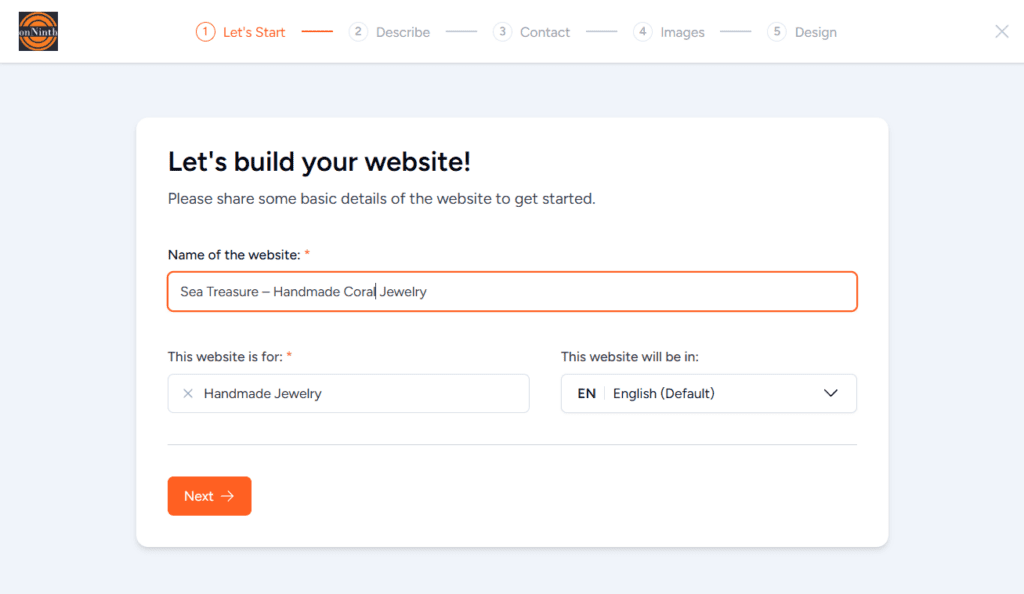
Step 4: Describe Your Business
You can paste an existing description or let the AI content generator polish it. Press Improve Using AI to rewrite or expand your copy instantly. You can add details like your city, hours, or special offers for better results.

After clicking ‘Improve Using AI’:
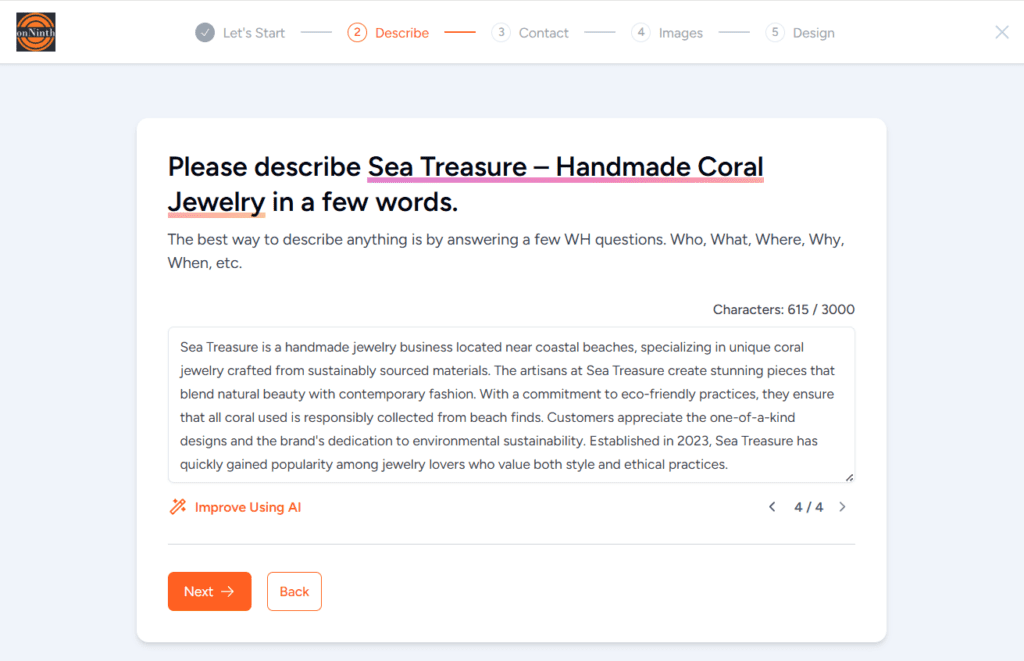
Step 5: Add Contact Information (Optional)
Include your email, phone, and address. onNinth AI Builder automatically places them in the right sections (footer, contact page, etc.). You can also connect your social media links here. Ideally you will put your contact email, your City and State/Provience/etc to give people an idea of the general location and any social media links.
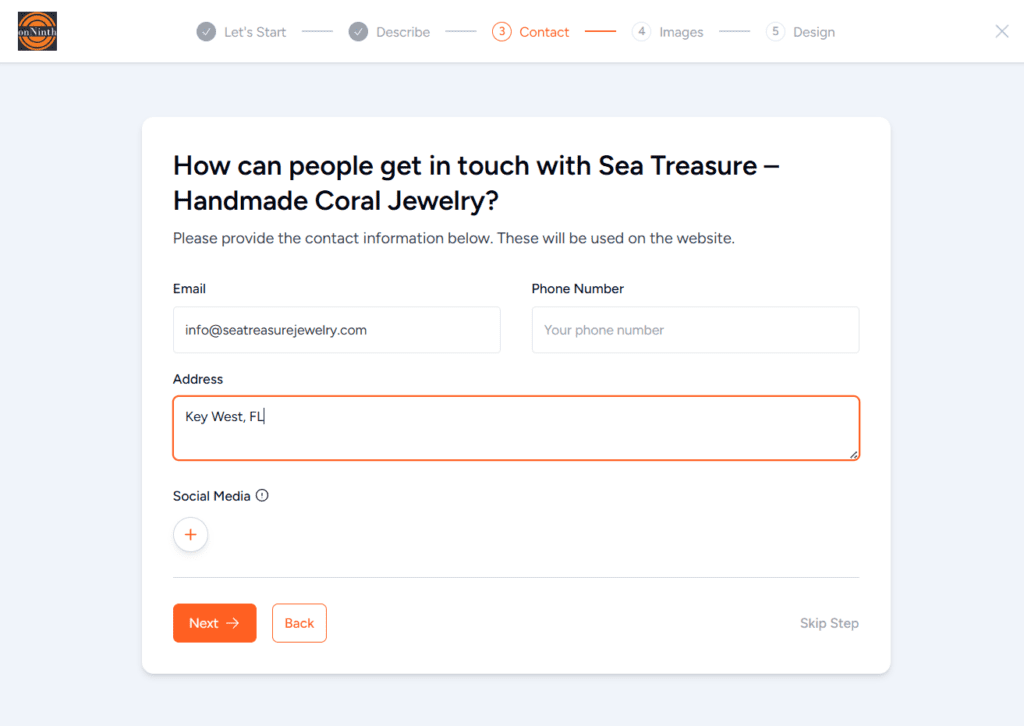
Step 6: Choose Images
onNinth AI Builder suggests high-quality, niche-relevant stock photos using AI image search. Pick the ones that fit your brand or upload your own visuals. If you’re still not satisfied with the suggested results, you can continue to refine your visuals with an AI-powered image editor to achieve a more polished and impressive final image. Pro tip: Try changing keywords to get new photo suggestions. You can also upload your photos at this step (Upload Your Images – Next to Search Results). AI will use these photos to build out the site. Do not upload your full gallery yet. Add 10-15 total that highlight your brand, which could include local attractions, views from your home, etc.
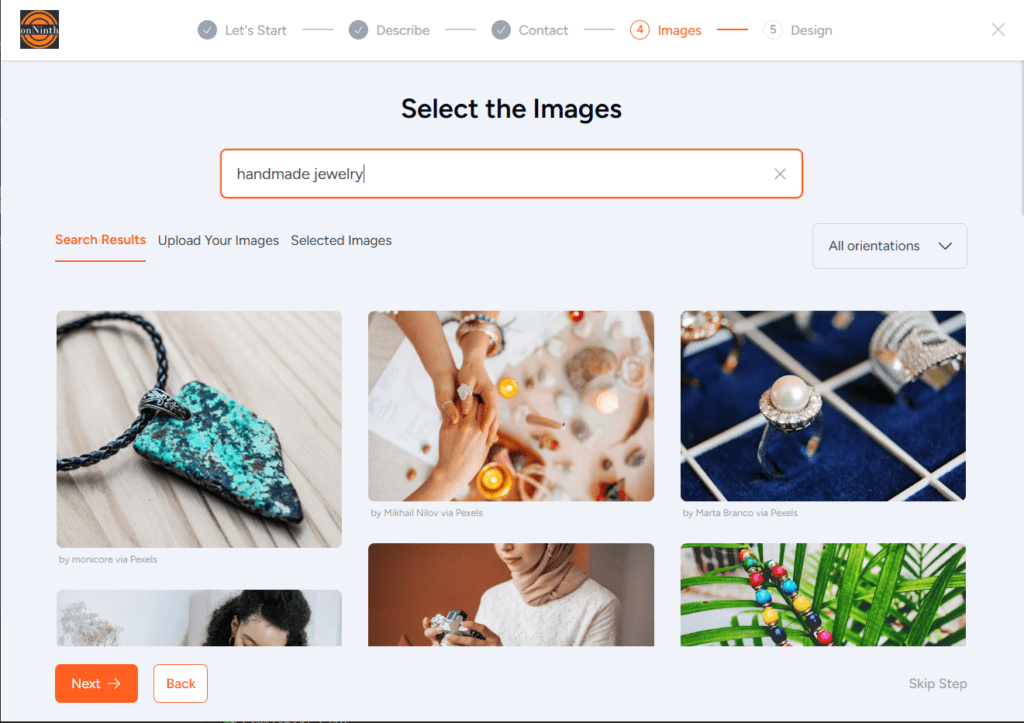
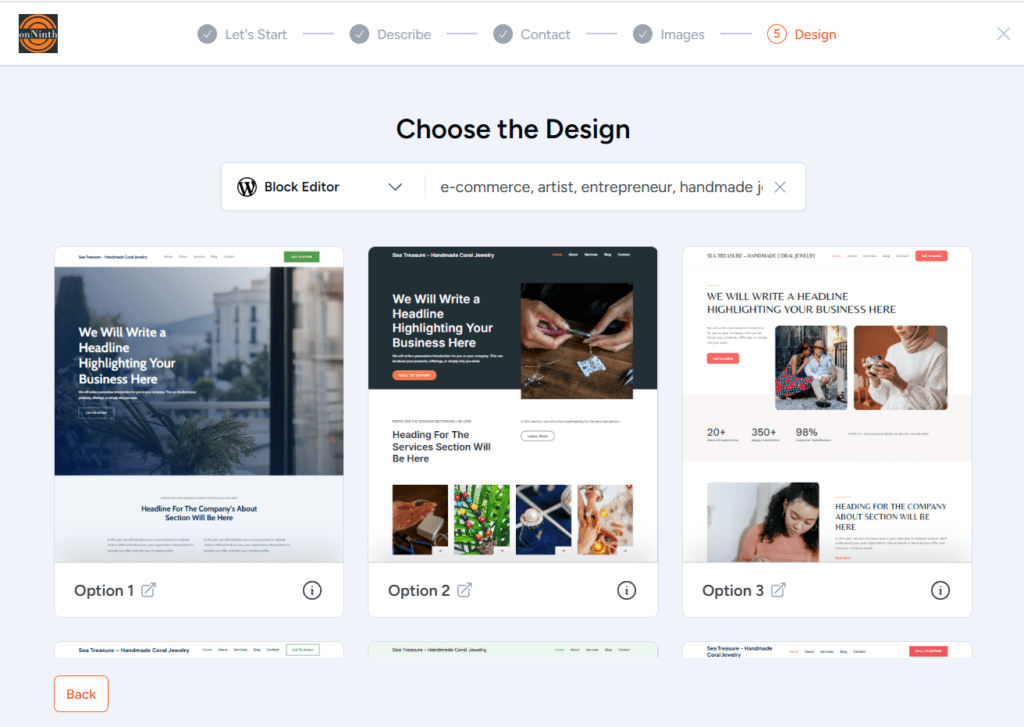
Step 7: Pick a Design Layout
The AI instantly generates dozens of responsive layouts using drag-and-drop WordPress builders like Spectra. You can preview homepage sections, view included plugins, and filter designs by business type. Choose one, tweak the colors or fonts, and upload your logo.
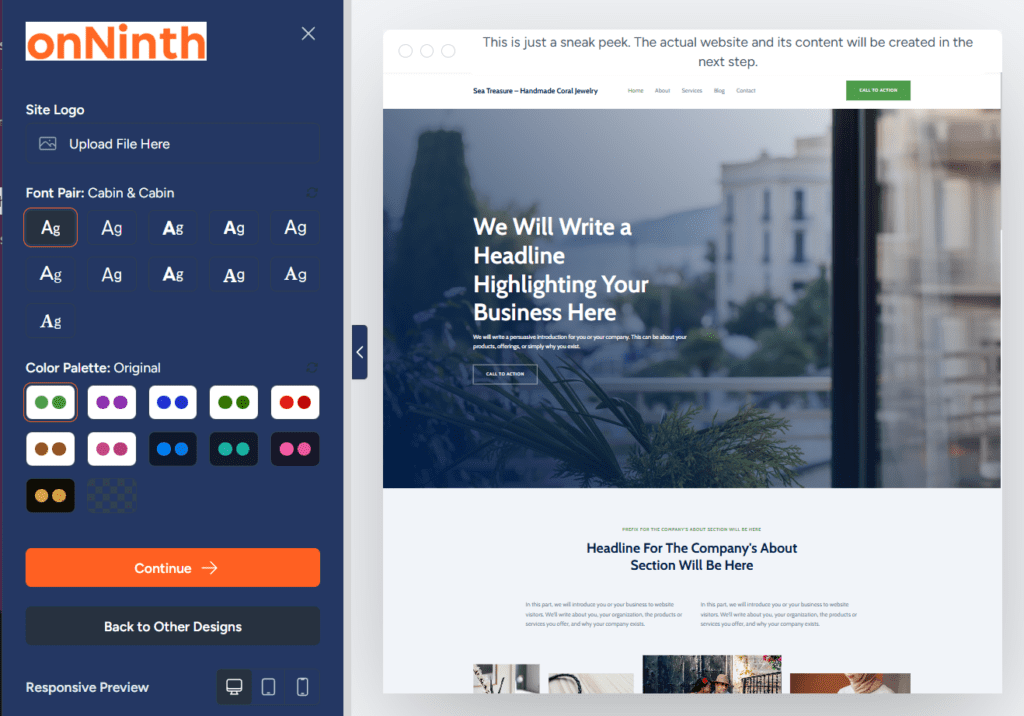
Step 7a: Finalize the Design Layout
Here you an upload a site logo, pick a site font and also play with the color scheme.
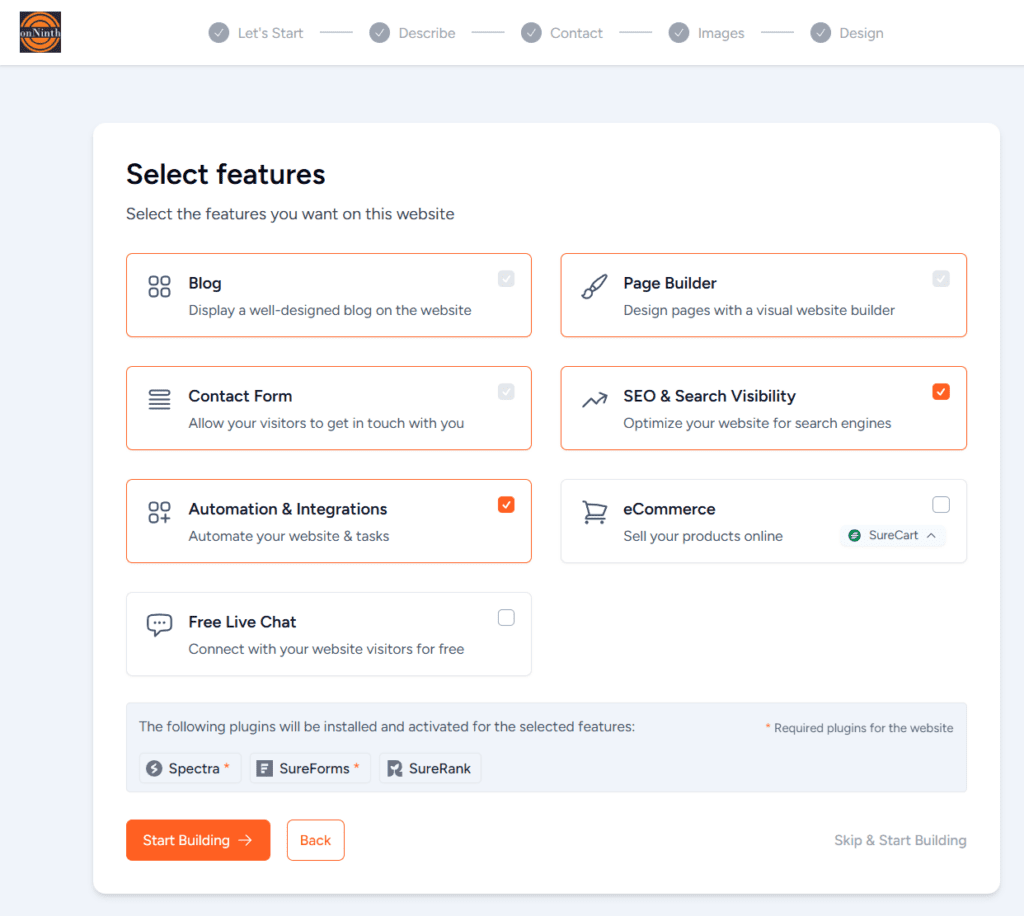
Step 8: Add Features
This is an offering from a partner site and we do not support any of these feature (they are not needed for any function of what onNinth provides). At the bottom right, click ‘Skip and Start Building‘
Step 9: Build and Launch
Click Start Building and let onNinth AI Builder assemble your site. In under a minute, you’ll get a real WordPress site with login credentials and instant access to your WordPress dashboard. Time from idea to website: Under 5 minutes.
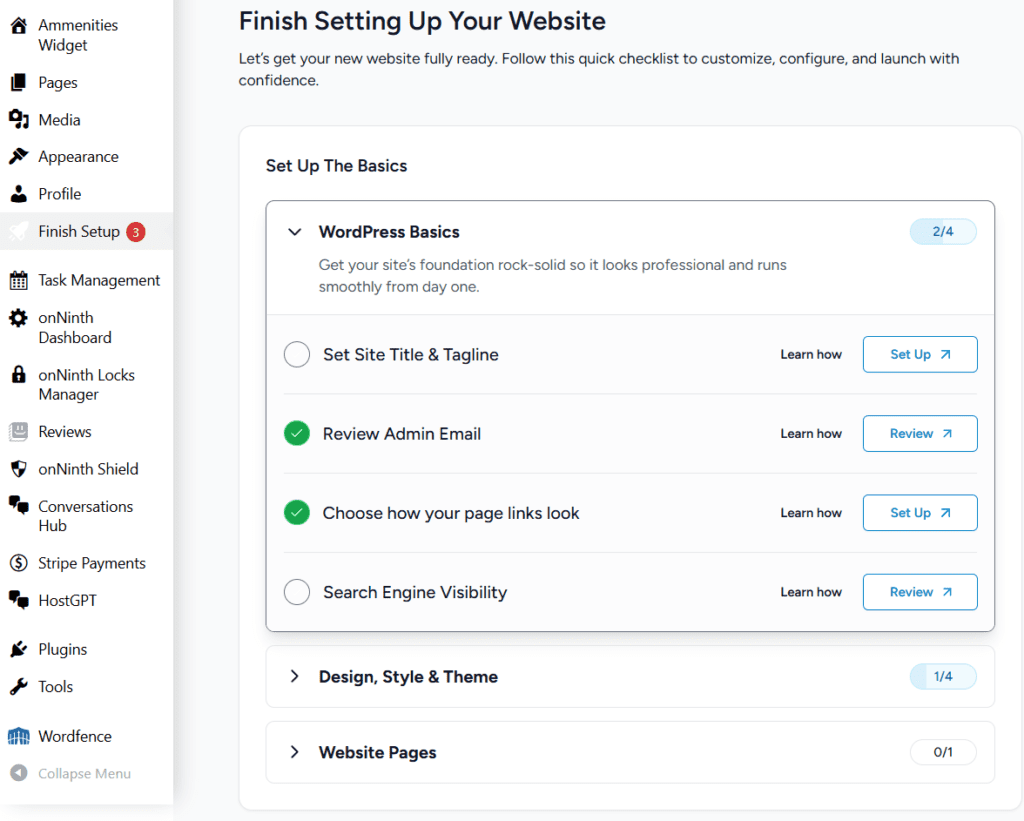
Step 10: final touches
Click View Dashboard and then Finish Setup. These last steps will walk you through a few final touches and show you around the site, and how to make updates to the look and feel effortlessly.
Why It Matters
Traditional WordPress site builders can overwhelm beginners. onNinth AI Builder turns it into a simple, guided process. It’s fast for entrepreneurs launching tomorrow and flexible enough for freelancers or agencies building client-ready sites on demand.